

The Push: May 19th, 2026
Creative shortcuts, token-saving terminal summaries, and AI video workflows that finally remember what happened

PhotoGIMP: Switching Costs Are Mostly Muscle Memory
github.com/Diolinux/PhotoGIMP | License: GPL-3.0
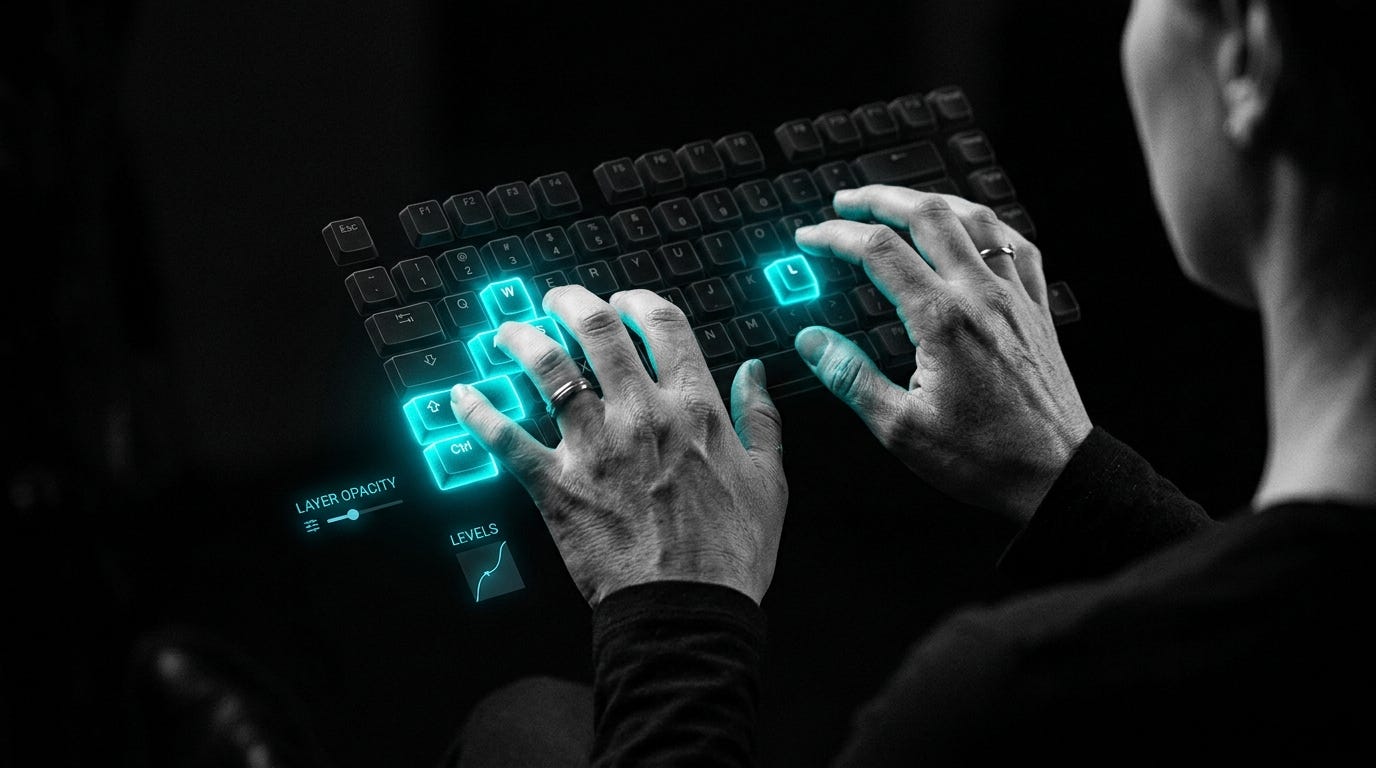
Adobe can lose on price, features, even goodwill, and still keep people locked in through one annoying advantage: habit. Open GIMP after years in Photoshop and the friction shows up instantly. Shortcuts feel wrong, panels sit in strange places, the canvas wastes space, and every tiny action reminds your hands they are in foreign territory. PhotoGIMP attacks that exact layer of lock-in. Not the file format. Not the rendering engine. The behavioral layer, which is honestly where a lot of software moats quietly live.
The Drop: The Interface Tax Nobody Admits

Plenty of people say they want an alternative to Photoshop until they actually try one. Then the migration tax appears. A design tool is not just features on a checklist, it is accumulated reflex. The left hand expects certain shortcuts. The eyes expect tools in specific zones. The brain expects the canvas to dominate the screen, not drown inside oddly arranged chrome.
GIMP has always had the raw capability story. That was never the whole issue. The problem was translation cost. Even users who respected GIMP as a serious editor still bounced because the environment felt like learning a new city after memorizing another one block by block.
PhotoGIMP exists because that friction is weirdly expensive. It turns GIMP into something closer to a familiar operating surface for Photoshop users, with Photoshop-like tool layout, Photoshop keyboard shortcuts, and maximized canvas space baked into the patch. That sounds cosmetic until a creative professional loses twenty minutes hunting for a crop tool or instinctively hits the wrong key combo fifty times in a session. Software switching often fails on these tiny cuts, not giant missing features.
The Stack: Configuration as Product
Under the hood, PhotoGIMP is mostly a curated bundle of GIMP configuration files, plus some theme.css tweaks and custom desktop assets. The repo is primarily CSS, but the real stack is GIMP’s own preferences system: layout, shortcuts, docks, templates, tool ordering, and startup visuals, all packaged as a drop-in patch across Linux, Windows, and macOS.
The Sauce: Default Choices Are the Whole Product
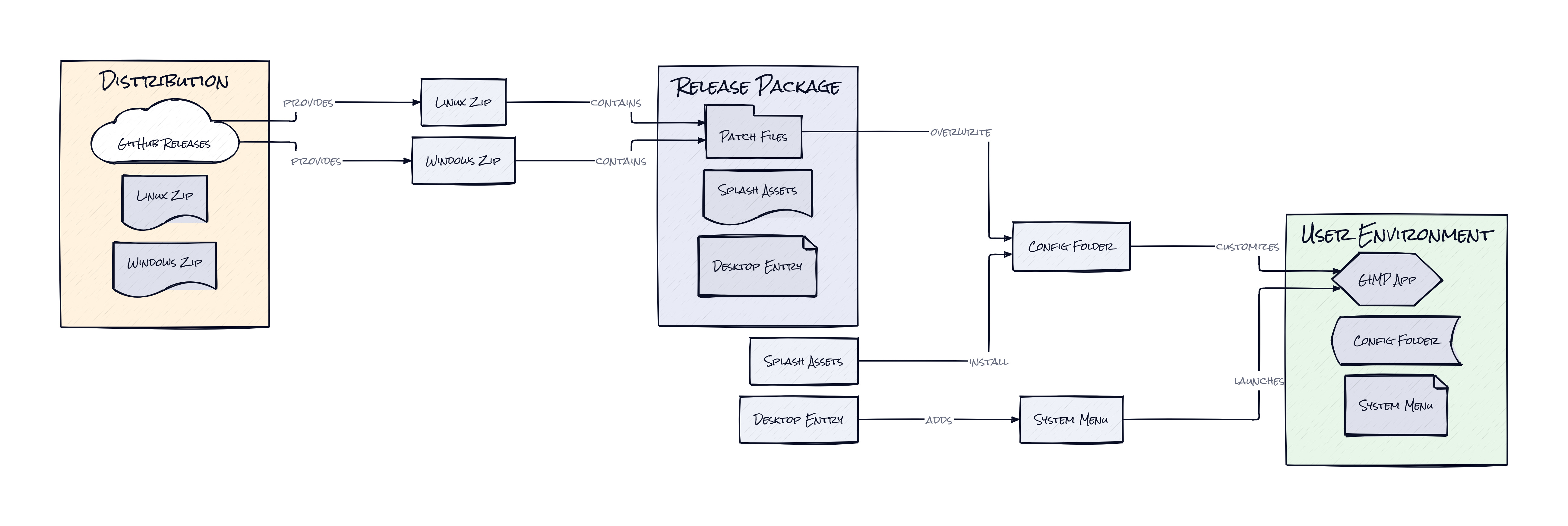
What makes PhotoGIMP interesting is the decision to treat GIMP’s config surface as a full product layer rather than an afterthought. This repo is not building a new image editor, and that restraint is exactly why it works. PhotoGIMP rewires the experience by shipping a coherent opinion across session state, tool organization, keyboard mapping, panel placement, templates, and visual identity, then letting the underlying engine remain plain old GIMP.
That architecture matters because creative software is unusually sensitive to defaults. A bad default in a text editor is annoying. A bad default in design software breaks flow. PhotoGIMP bundles those defaults into a portable patch, which means the adaptation happens at the human interface layer instead of the application core. In practical terms, users inherit years of learned behavior without waiting for GIMP itself to redesign around them.
There is also something quietly clever about the distribution model. Because the patch rides on top of GIMP’s native configuration system, maintenance stays relatively light and reversibility stays high. Delete the settings, reopen GIMP, and the app regenerates its standard state. That makes experimentation feel safe, which is huge for migration tools.
Honestly, the notable insight here is that software familiarity can be modularized. PhotoGIMP turns “feels like Photoshop” from a vague aspiration into a concrete, installable interface layer. That is a sharper product idea than it first appears.
The Move: Cheap Migration, Real Optionality
Teams, freelancers, and students can use PhotoGIMP as a negotiation tool as much as a design tool. Install it when Adobe pricing, licensing, or cloud dependence starts feeling heavy, and suddenly GIMP becomes a viable fallback without demanding a full retraining cycle. That changes the power dynamic. Vendor lock-in weakens when the exit ramp stops being painful.
Agencies can also treat PhotoGIMP as a continuity layer for mixed environments. A contractor on Linux, a student on Windows, a budget-conscious startup on older hardware, all can work inside a more familiar editing setup without standardizing on Adobe seats everywhere. For schools and bootcamps, the value is even cleaner: teach image editing concepts in a free tool without forcing Photoshop veterans to unlearn muscle memory first.
Founders should notice the broader play. Interface compatibility can bootstrap adoption in any category where habits matter, e.g. video editing, music production, CAD. PhotoGIMP shows that “alternative” products do not always need feature parity on day one. Sometimes they just need to remove the panic of opening the app and not knowing where anything lives.
The Aura: Familiarity Became Portable
People do better work when tools stop asking for attention. That is the human thesis here. PhotoGIMP lowers the cognitive drag of switching by preserving learned motion, which is often more valuable than preserving brand loyalty. Once users realize their workflow can travel, software starts to feel less like a landlord and more like infrastructure.
That expectation spreads. If one interface can be remapped to fit another, users begin to ask why every product migration has to feel punishing. PhotoGIMP hints at a world where expertise belongs to the person, not the vendor.
The Play: A Thin Layer, a Big Wedge
This is not a 0-to-1 category creation. It is a better mousetrap in the migration and workflow-compatibility market. But the TAM is larger than the repo suggests because every expensive creative suite depends on retraining costs as part of retention. With 10,639 stars, broad cross-platform packaging, and a very legible user promise, PhotoGIMP shows real pull from a community that wants lower CAC alternatives to Adobe without eating workflow pain.
The moat here is not data or network effects. It is distribution into existing dissatisfaction, plus execution speed around compatibility details users immediately notice. Sticky behavior change looks solid because once a team normalizes a cheaper stack with familiar controls, switching back becomes less automatic and LTV shifts toward the open ecosystem.
Winners:
Penpot: Lowered resistance to non-Adobe workflows compounds because design teams already primed for interface migration become easier to convert into adjacent open creative tools.
Canva: Expanded prosumer trust in alternative creative stacks strengthens enterprise upsell, especially when buyers start questioning whether Adobe-grade familiarity really requires Adobe pricing.
Red Hat: Stronger open source desktop credibility benefits from projects like PhotoGIMP that make Linux creative workflows feel less niche and more commercially acceptable.
Losers:
Krea: Narrower room to win on “easier than pro tools” positioning emerges if open creative software keeps getting more approachable through compatibility layers rather than greenfield UX.
Figma: Higher expectations for portable muscle memory make proprietary workflow conventions look more fragile if users start demanding easier exits across creative products.
Adobe: Weaker switching-cost defenses show up when interface familiarity becomes replicable, because the moat shifts back to actual product value instead of years of conditioned behavior.
tl;dr
PhotoGIMP turns GIMP into a Photoshop-shaped experience by packaging layout, shortcuts, and workspace defaults as a migration layer. The clever part is not new editing power, it is making familiarity installable. Worth a look for creatives, schools, and startups trying to cut Adobe dependence without killing workflow speed.
Stars: 10,639 | Language: CSS
