

The Push: April 25th, 2026
Role-based AI helpers, modular agent kits, and a command line that thinks in objects


Roo Code: AI Coding Finally Has Roles
github.com/RooCodeInc/Roo-Code | License: Apache-2.0

Opening a code editor with an AI plugin usually means one overconfident assistant trying to do everything, planning, writing, debugging, explaining, and occasionally breaking half the project with great enthusiasm. That model gets old fast. Teams do not work like that, and honestly neither do good individual workflows. Roo Code lands on a sharper idea: split the labor. Give different jobs different behavior. Inside the editor, that starts feeling less like autocomplete with attitude and more like an actual operating layer for AI work.
The Drop: One Bot Was Never the Right Shape
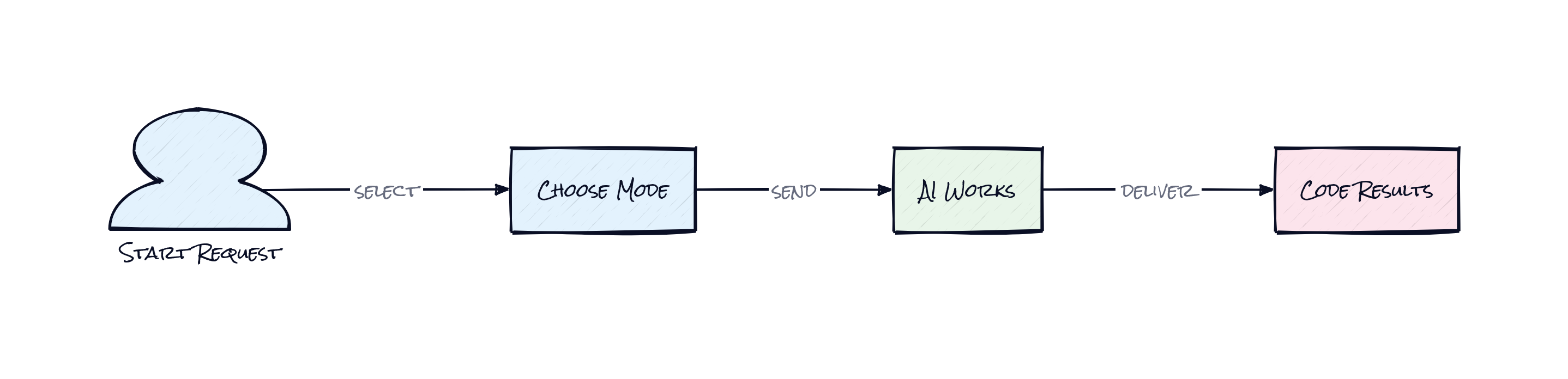
Chat-based coding assistants have a predictable failure mode. A user asks for a feature, the model starts coding immediately, misses architectural constraints, forgets context halfway through, and then improvises fixes with the confidence of a junior hire who never asks questions. The frustration is not just bad output. The deeper problem is that a single conversational thread has to hold planning, execution, debugging, and documentation all at once.
Modes are Roo Code’s answer to that mess. They carve AI work into purpose-built behaviors like Code, Architect, Ask, and Debug, plus team-defined custom variants. That sounds simple, maybe too simple, until the alternative is remembered: one giant prompt trying to act like a whole org chart.
Projects also hit a second wall, model sprawl. Claude for reasoning, OpenAI for code edits, local models for privacy, e.g. Ollama or LM Studio, and maybe a gateway in between. Juggling providers across tools is annoying enough. Doing it while trying to preserve workflow is worse. Roo Code seems driven by the very real gap between “AI can help” and “AI fits how software actually gets built.”
The Stack: Editor-Native, Model-Agnostic
Under the hood, Roo Code is built primarily in TypeScript as a VS Code extension with a webview-based interface. The architecture connects editor context, chat state, and tool execution to a long list of model providers, including Anthropic, OpenAI, Vertex, Ollama, LiteLLM, and OpenRouter, which is exactly the kind of interoperability serious users end up needing.
The Sauce: Roles, Checkpoints, and Controlled Autonomy
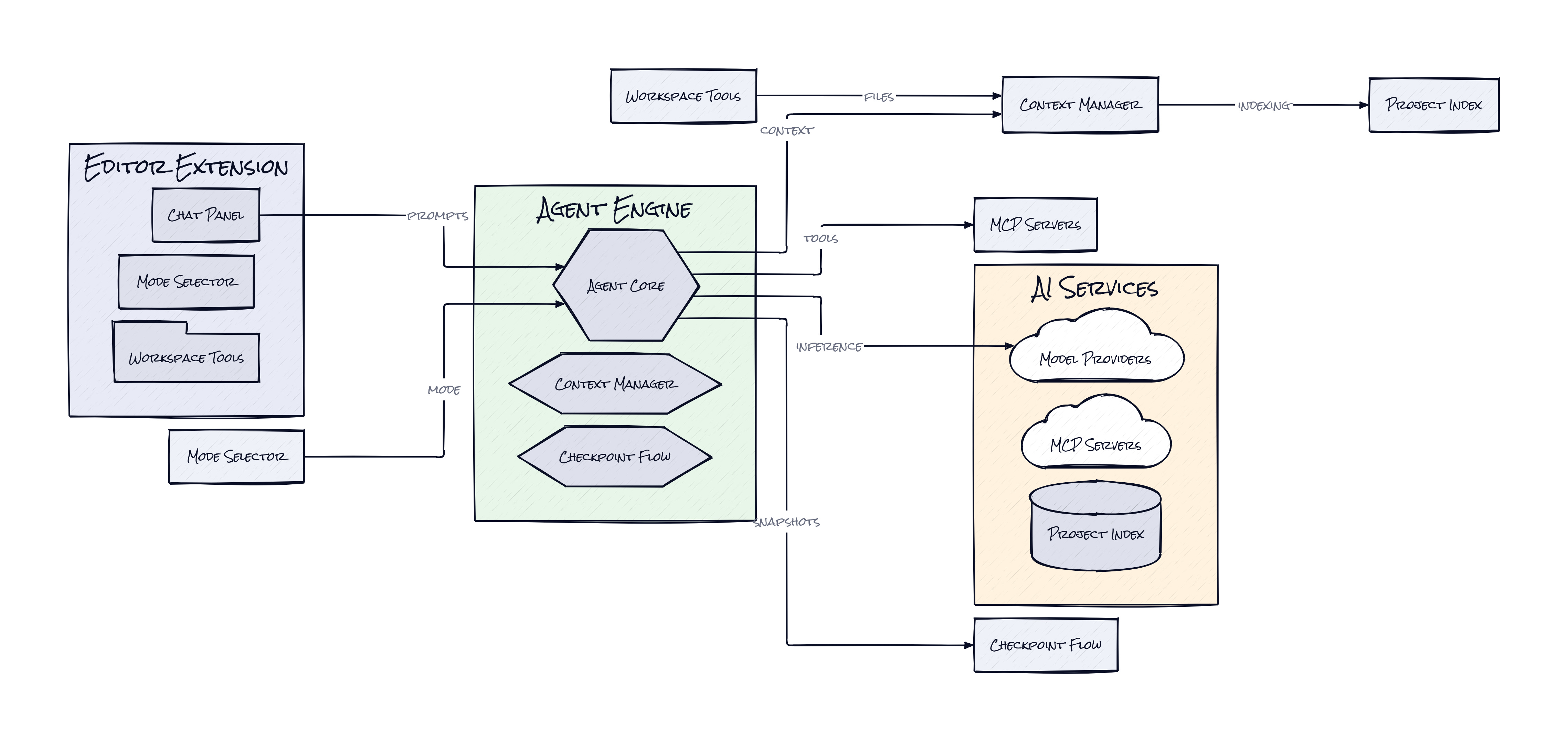
Where Roo Code gets interesting is the combination of Custom Modes, Checkpoints, and MCP Servers. Together, those pieces turn a coding assistant into a configurable workflow system, not just a chat box with file access.
Custom Modes matter because they package behavior as reusable operating logic. A team can define one mode for architectural planning, another for issue triage, another for docs extraction, another for safe bug fixing. That is more important than model quality debates might suggest. In practice, repeatable AI work needs structure more than it needs one slightly smarter base model. The repo itself hints at this with internal rules, workflow templates, and specialized guidance artifacts. Roo Code is basically treating prompts as product surfaces.
Checkpoints push that idea further. Instead of trusting an agent’s long chain of edits as one opaque blur, Roo Code snapshots progress so users can step backward through prior states. That changes the risk profile. AI coding becomes more like branching in product thinking: try something aggressive, inspect the result, rewind if needed. That is a much better fit for real work than blind autonomy.
Then there is MCP Servers, shorthand for connecting the assistant to external tools and services through a standard interface. Think Notion plugins, but for AI tool access inside the editor. This is clever because it separates the assistant’s reasoning layer from the systems it can operate. The result is a plugin-like surface for capabilities, which makes Roo Code extensible in a way many AI coding tools still are not. Honestly, the interesting part is not “many agents.” It is behavior modularity plus reversible execution.
The Move: Turn AI Into a Process, Not a Trick
Plenty of teams are already paying for AI coding help, but the bigger opportunity is using Roo Code to standardize how that help shows up. Instead of every engineer, PM, or founder improvising prompts from scratch, a company can encode repeatable workflows as named modes. One mode can review a bug report and gather likely causes. Another can propose migration plans. Another can update docs after shipping. Suddenly AI output gets more consistent, which means more trustworthy.
Adoption also gets easier because Roo Code is editor-native. The path is not “learn a new platform.” The path is “install the extension, connect preferred model providers, then define two or three high-value modes around current bottlenecks.” Start with expensive cognitive chores, e.g. debugging regressions, writing internal specs, or tracing how a feature touches multiple services.
Product leaders should notice something here too. Roo Code can act like a living interface between team process and model capability. That makes it useful beyond pure engineering. A startup can bake house style, architecture preferences, and review habits into the assistant itself. Over time, that compounds into lower onboarding cost, less prompt folklore, and faster execution without needing everyone to become an AI power user.
The Aura: Software Starts Remembering How You Work
Repeated tasks usually become culture before they become tooling. A team learns how to debug, how to scope, how to write tickets, how to document changes, then spends months hoping new people absorb it by osmosis. Roo Code hints at a different expectation: workflows can be encoded directly into the place where work happens.
That has a subtle human effect. Instead of asking people to memorize best practices, the environment starts surfacing them at the moment of action. Less tribal knowledge, more embedded judgment. If that sticks, software teams may stop treating process as something trapped in docs and start treating it as something executable.
The Play: Workflow Moats Beat Chat Features
From a VC lens, Roo Code is not a pure 0-to-1 category creation. AI coding assistants already exist. The bet here is that the winning wedge is not raw model access, it is workflow infrastructure inside the editor. TAM is huge because every software team is a buyer, but PMF signals come from behavior, not just stars: 23,441 GitHub stars, millions of installs cited in the project history, active Discord and Reddit communities, and visible community stewardship after a team transition. That is not casual curiosity.
Moat is still forming. Core defensibility probably comes from execution speed, workflow switching costs, and community-authored modes and integrations, rather than proprietary data. If teams start encoding internal process into Roo Code, churn gets harder because replacing the tool means rebuilding operational memory.
Winners:
All Hands AI: Faster adoption compounds if buyers want configurable in-editor workflows rather than a monolithic coding copilot.
Cursor: Higher user expectations for role-based AI can expand the market for premium editor-native coding products that feel like full environments.
Microsoft: Broader acceptance of editor-embedded AI orchestration strengthens VS Code’s position as the default surface where model spending happens.
Losers:
Factory: Narrow product differentiation erodes if workflow packaging becomes open, editable, and community-distributed inside the editor.
Replit: Consumer-friendly AI coding loses some pull with serious teams if in-editor process control matters more than all-in-one convenience.
Atlassian: Documentation and process gravity weaken when more operational knowledge gets executed directly in the editor instead of living in separate team systems.
tl;dr
Roo Code turns AI coding from one chatty assistant into a role-based system inside your editor. What stands out is the mix of reusable modes, reversible checkpoints, and tool connectivity, which makes AI behavior programmable, not just promptable. Teams trying to standardize how AI helps with planning, debugging, and documentation should look closely.
Stars: 23,442 | Language: TypeScript
